

As an Amazon Associate we earn from qualifying purchases. Our picks are based on independent research; see our Affiliate Disclaimer.
A power blip can drop your internet, reboot your PC and lose unsaved work. A UPS (uninterruptible power supply) bridges short outages with a battery. The best uninterruptible power supply for beginners is sized to what you need to protect: a compact unit for a router and modem, or a larger one for a desktop PC.
We compared uninterruptible power supplies from CyberPower, APC using listing specifications and manufacturer information: capacity (VA and watts), outlet count, display, voltage regulation and runtime. Prices on Amazon change often, so confirm the current price and seller before you buy.
Quick Answer: The Best Uninterruptible Power Supply For Beginners
- Best Overall: CyberPower EC650LCD Ecologic Battery Backup
- Best for Router & Modem: APC Back-UPS BE425M, 425VA
- Best Value 600VA: APC Back-UPS NS 600VA 8-Outlet
- Best for Desktop PCs: CyberPower BRG1500AVRLCD Intelligent LCD UPS, 1500VA
- Best Mid-Size: CyberPower SL950U Standby UPS
The CyberPower EC650LCD is our top beginner pick because its LCD shows battery and load at a glance. If you only need to keep Wi-Fi alive, the compact APC BE425M is the simplest start.
Best Uninterruptible Power Supply For Beginners Comparison Table
Compare the picks by type and key feature.
| Product | Best For | Type | Key Feature | Buy |
|---|---|---|---|---|
| CyberPower EC650LCD Ecologic Battery Backup | Best Overall | UPS battery backup with LCD | 650VA, LCD screen | Check Price ↗ |
| APC Back-UPS BE425M, 425VA | Best for Router & Modem | Compact UPS battery backup | 425VA, compact | Check Price ↗ |
| APC Back-UPS NS 600VA 8-Outlet | Best Value 600VA | UPS battery backup | 600VA, 8 outlets | Check Price ↗ |
| CyberPower BRG1500AVRLCD Intelligent LCD UPS, 1500VA | Best for Desktop PCs | High-capacity UPS | 1500VA, AVR, LCD | Check Price ↗ |
| CyberPower SL950U Standby UPS | Best Mid-Size | Standby UPS battery backup | 950VA standby | Check Price ↗ |
The 5 Best Picks: Best Uninterruptible Power Supply for Beginners
These are our picks for the best uninterruptible power supply for beginners, with what each one does best.

CyberPower EC650LCD Ecologic Battery Backup
1. 650VA with an LCD that shows battery status.
👍 Pros & Cons
Pros
- LCD shows battery status
- Compact
- Beginner friendly
Cons
- Limited runtime for PCs
- Check outlet layout
📄 Detailed Review
- 650VA per listing
- LCD status screen
- Battery + surge outlets
- Ecologic power saving
CyberPower’s EC650LCD adds an LCD screen that shows battery and load status.
A screen helps beginners see how long the battery can run their devices.
See the CyberPower EC650LCD Ecologic Battery Backup on Amazon ↗

2. Compact 425VA unit for internet gear.
👍 Pros & Cons
Pros
- Compact
- Good first UPS for router/modem
- Trusted brand
Cons
- Low capacity for PCs
- Short runtime
📄 Detailed Review
- 425VA per listing
- Battery backup + surge outlets
- Compact desktop format
- USB charging per listing
APC’s BE425M is a compact 425VA battery backup often used for routers, modems and small electronics.
For a first UPS, protecting your internet equipment is an easy, useful starting point.

3. Eight outlets for a small home office.
👍 Pros & Cons
Pros
- More outlets
- Enough for a router and small PC
- APC support
Cons
- Not for gaming PCs
- Check waveform on the listing
📄 Detailed Review
- 600VA per listing
- 8 outlets
- Power-saving design
- Battery backup + surge
APC’s Back-UPS NS 600VA adds eight outlets and more capacity than compact units.
It suits a small home office with a router, modem and a basic desktop.

CyberPower BRG1500AVRLCD Intelligent LCD UPS, 1500VA
4. 1500VA with AVR and LCD.
👍 Pros & Cons
Pros
- Higher capacity for desktops
- AVR handles small voltage dips
- LCD
Cons
- Heavier and larger
- Higher cost
📄 Detailed Review
- 1500VA per listing
- Automatic voltage regulation (AVR)
- LCD screen
- Multiple outlets
CyberPower’s BRG1500AVRLCD is a larger 1500VA UPS with automatic voltage regulation.
Choose this size if you want to keep a desktop PC and monitor running long enough to save work.
See the CyberPower BRG1500AVRLCD Intelligent LCD UPS, 1500VA on Amazon ↗

5. 950VA standby unit.
👍 Pros & Cons
Pros
- Mid-range capacity
- Compact tower
- Good value
Cons
- Standby type, not line-interactive
- Check runtime chart
📄 Detailed Review
- 950VA per listing
- Standby UPS
- Battery + surge outlets
- USB
CyberPower’s SL950U is a mid-size standby UPS for home office gear.
Check the runtime chart on the listing against your devices’ wattage.
How We Chose the Best Uninterruptible Power Supply For Beginners
To choose the best uninterruptible power supply for beginners, we compared capacity (VA and watts), outlet count, display, voltage regulation and runtime from Amazon listings and manufacturer pages, then scored each product for first-time UPS buyers at home. Scores are our BUP Score, not Amazon star ratings.
We did not run hands-on lab tests for this page. Prices on Amazon change often, so confirm the current price and seller before you buy. Our method is on How We Test.
How to Choose the Best Uninterruptible Power Supply for Beginners
What to look for before you buy:
VA vs Watts
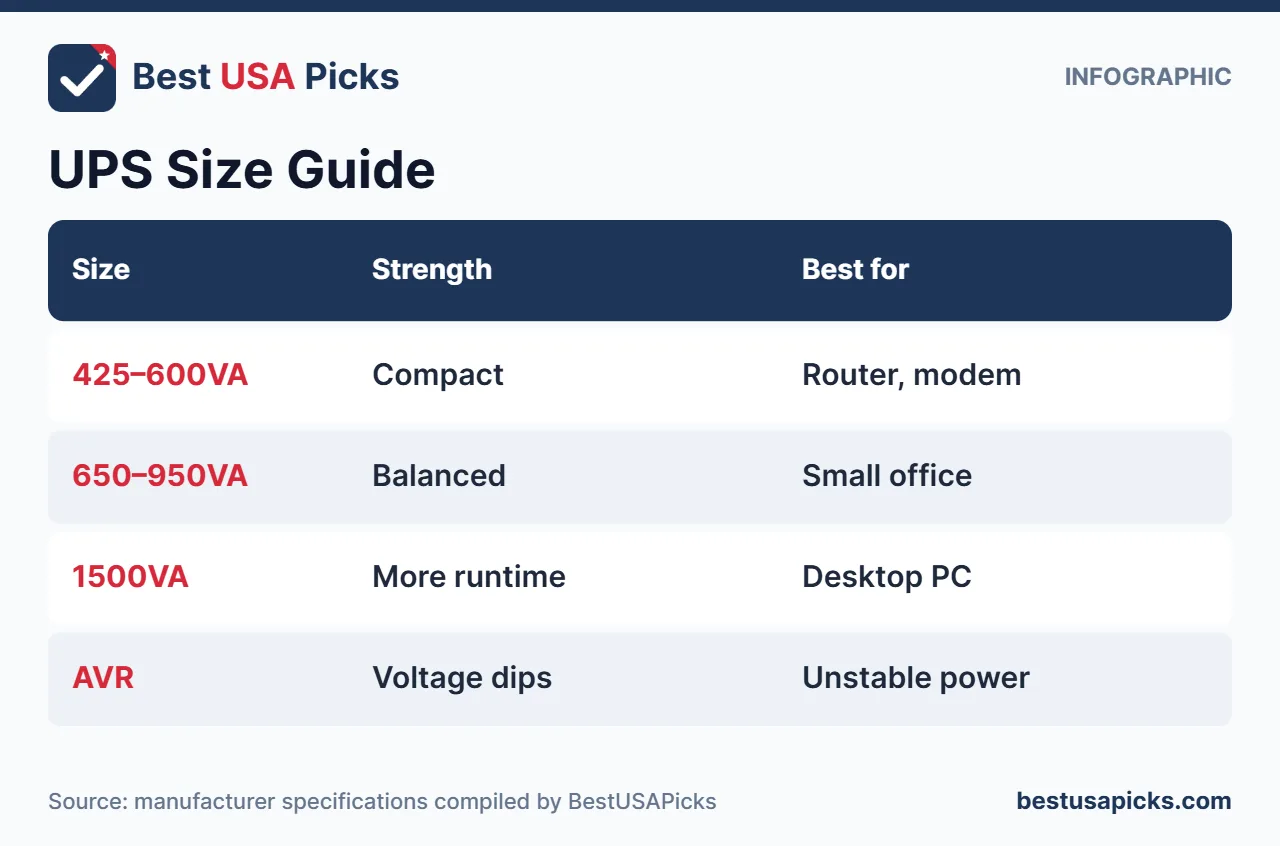
UPS units list VA and watts. Add up the watts of what you will plug into battery outlets and stay well below the unit’s watt rating.
What to Protect
Router and modem need little power. A desktop PC and monitor need much more. Printers and space heaters should not go on battery outlets.
Runtime
A home UPS is meant for short outages and safe shutdown, not hours of power. Check the runtime chart on the listing.
Battery Replacement
UPS batteries wear out over time. Both APC and CyberPower sell replacement batteries for many models.
Quick Tips
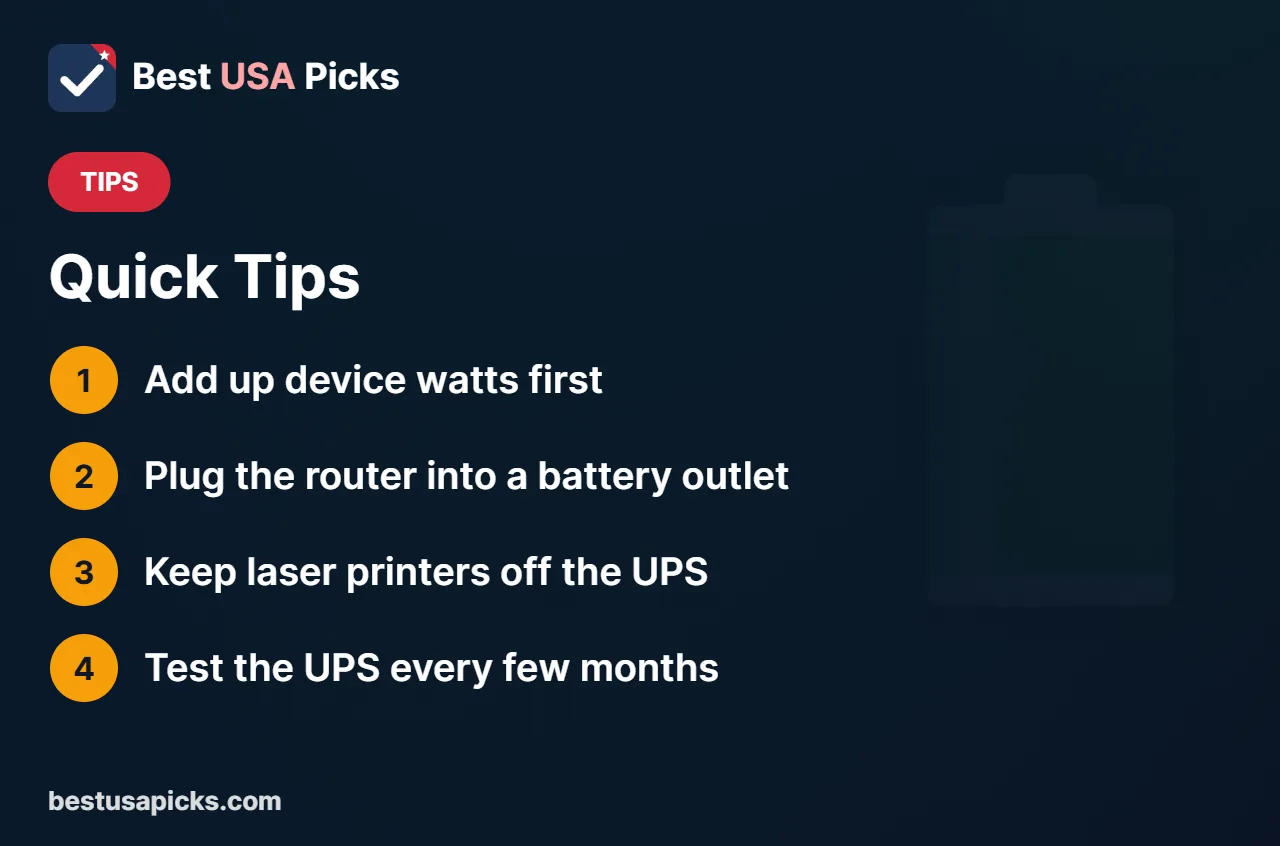
- Add up device watts first
- Plug the router into a battery outlet
- Keep laser printers off the UPS
- Test the UPS every few months
Quick answers about the best uninterruptible power supply for beginners:
Frequently Asked Questions
What is the best uninterruptible power supply for beginners?
Our pick for the best uninterruptible power supply for beginners is the CyberPower EC650LCD Ecologic Battery Backup. 650VA with an LCD that shows battery status.
What size UPS do I need?
Add up the watts of your devices and pick a UPS with comfortably more watt capacity. Check the runtime chart.
How long will a UPS run my PC?
Usually minutes, enough to save work and shut down. Larger units run longer.
Can I plug a UPS into a surge protector?
Manufacturers generally advise plugging a UPS directly into a wall outlet; check your model’s manual.
Final Verdict
Our final pick for the best uninterruptible power supply for beginners is the CyberPower EC650LCD Ecologic Battery Backup. For routers and modems choose the APC Back-UPS BE425M, 425VA, and for a small home office the APC Back-UPS NS 600VA 8-Outlet.
Related Guides
Keep exploring our Home & Kitchen buying guides:
- Best Window Screen Repair Kit for Beginners: 5 Easy Fixes
- Best Garage Storage System for Beginners: 5 Easy Starter Picks
- Best Whole House Water Filter for Families: 5 Systems Compared
- Best Stove Pipe Thermometer for Beginners: 5 Easy-Read Dials
Prices and availability change frequently. Product details are based on manufacturer specifications at the time of writing; always confirm the latest information on Amazon before you buy.


